

 Download Security
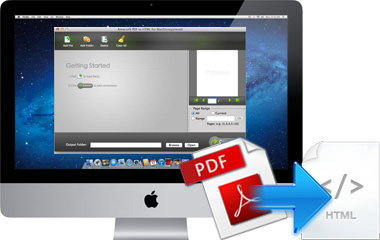
 PDF file format is popular and widely accepted by many applications and display devices, but if you're looking for the easiest way to share your PDF files online, then you may need to convert PDF to HTML format. This is maily because of the HTML webpage can be easily shared on the internet. Thus, you need a tool like Amacsoft PDF to HTML for Mac to help you finish the conversion and maintain the original contents and settings in the output files without any change.

Turn Adobe PDF Files into HTML Web Pages Efficiently
Having several PDF files and want to convert them to web pages in the program at one time? Have a large-size PDF document, and don't want to spend too much time on converting the whole document because only a few pages are available for you? Don't worry, you can find the suitable way in the program to satisfy your needs.
* Convert multiple PDF files to the target HTML web pages in a batch. You can highly improve your productivity in this conversion mode.
* Page range setting function allows users to convert any pages they want to the HTML format on Mac OS X.
Preview What You Want in the Program
No one can 100% guarantee that they will never import and convert an unnecessary PDF file to HTML format by accident, so preview the PDF contents before converting could be an effective way to reduce the opportunity of this kinds of situations.
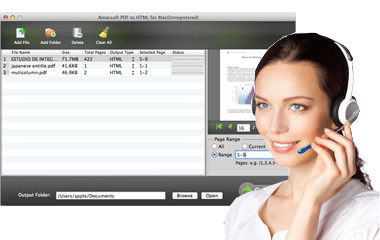
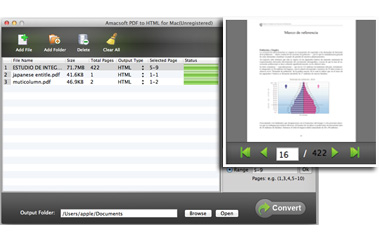
* The metadata information like File Name, Size, Total Pages etc. of the imported PDFs are listed in the primary tray.
* Preview the detailed contents in the built-in viewer by double-clicking the PDF file. And this preview function can ensure accurate parital conversion.
Multi-language Supporting Functions
It is undeniable that you may receive PDF files in different languages all over the world. So when you need to make a conversion from PDF to other formats, you'd better to find a tool which has the ability of supporting multi-languages. Otherwise, the output contents may appear garbled code. With this program, you can:
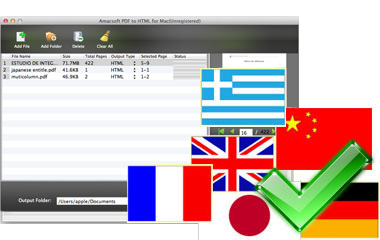
* Supports convert PDF of multiple languages to other formats with ease including English, Turkish, Thai, Latin, Korean, Greek, Cyrillic, Japanese, Chinese, German, French, so on and so forth.
FREE 7*24 Customer Service & Upgrade
Nowadays, people are tending to pay more and more attention on after-sales service. So Amacsoft studio have spent lots of efforts to expand its customer service team to provide the most professional service to all users.
* No matter you're a free trial user or register user, you are welcomed to contact our technical team or customer service team through emails.
*
Our technical team is tried their best to improve all our software's performance. So once we have a new upgrade in our program, register users can be informed of this new update. And you can update your program to the latest one freely.