

 Download Security
 Even though PDF has high compatibility and security, but it doesn't allow users to copy, edit or print the contents whenever they want. Thus, lots of PDF users tend to convert PDF files to other editable formats on their computer. Then Amacsoft comes here to meet your needs. It is a comprehensive PDF tool to help Mac users to export PDF files to 5 major formats without any quality loss. What's more, the batch and partial conversion modes can highly improve your productivity.

Export PDF to 7+ Popular File Formats on Mac
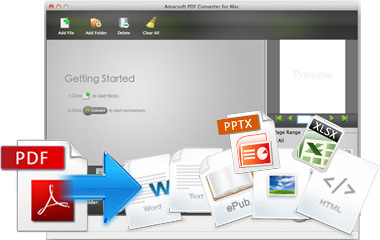
In the daily life and work, we always need to come across with all kinds of PDF files and sometimes you need to change the PDF file format for further use. Then you need a reliable PDF Converting program as your assistant.
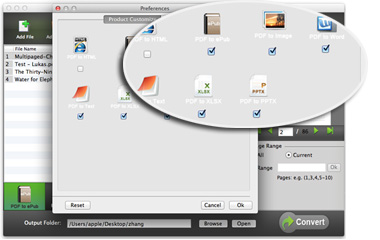
* As a good PDF Converter program, Amacsoft supports 7+ popular file formats, including Microsoft Word (.docx), PowerPoint (.pptx), Excel (.xlsx), ePub, Images (.jpg, .jpeg, .bmp, .png, .gif, etc.), Text (.txt), HTML (.html, .htm), etc.
* All elements in the original PDF file like text, hyperlinks, sheet, images, formatting, etc. will be saved in the output documents with zero quality loss.
Batch & Partial Conversion Modes for Your Reference
No one will deny that they will never need to convert a batch of PDF files or they only convert a specific pages in one PDF document. So when you're looking for a good-performance PDF tool, you'd better to take this factor into considerations. In the latest upgrade, this tool provide users with two different modes.
* Batch Conversion Mode - No matter how many files you need to convert, you can directly drag and drop them into the program and convert at one time. From testing results, you can convert up to 200 files at the same time.
* Partial Conversion Mode - Only need a few pages of a large PDF document? Don't worry, just use the page range setting function to select and define the page ranges for converting.
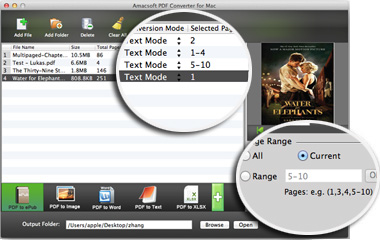
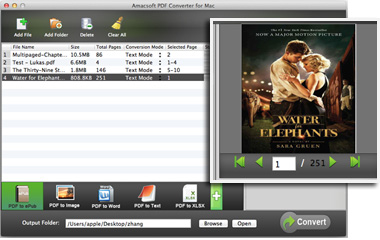
Preview PDF Files Before Converting
A built-in viewer will help you decide the pages to convert accurately. And it also a good way for you to check the file contents, so that you'll never convert a wrong document by accident. So Amacsoft take your needs into consideration and release this program.
* Double-click on any imported PDF files and then you can preview the file in the right viewer window for details.
* No Adobe Reader installed on your Mac? Want to read PDF files for urgency? This program works well as a standalone PDF Reader app. You can use it to view any local PDF files on your Mac as you like.
Humanized Design
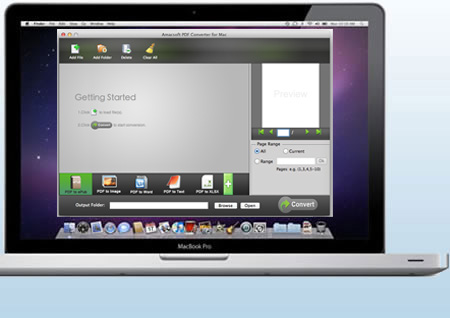
Personalized interface design can help you quickly handle this program and make you feel comfortable during the whole converting process. And it is also an effective way to improve user experience.
* Supports converting PDF files in all kinds of languages: English, Japanese, Simplified Chinese, German, French, Italian, Russian, etc.
*
No matter how complex your PDF files are, you can import, customize and export them from PDF to another formats as easy as 1-2-3.