

 Download Security
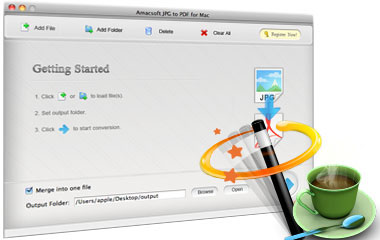
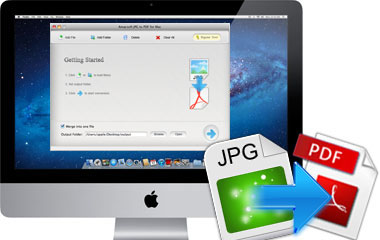
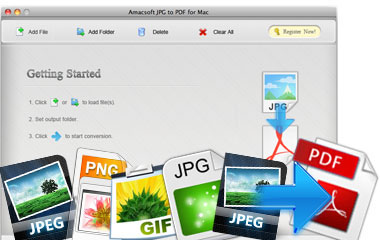
 At present, more and more digital cameras can take photos in .jpg or .jpeg extension file by default. Or we can get .jpg images from website without hassle. On the other hand, the Adobe PDF document is widely used in business, file-sharing website, email attachment etc. Therefore, many people googled a way on how to convert image JPG, JPEG to PDF file. Amacsoft JPG to PDF for Mac Software is a multiple functions featured JPG or JPEG to PDF file conversion program for Mac users.

Export Multiple JPG or JPEG Files to PDF in a Batch
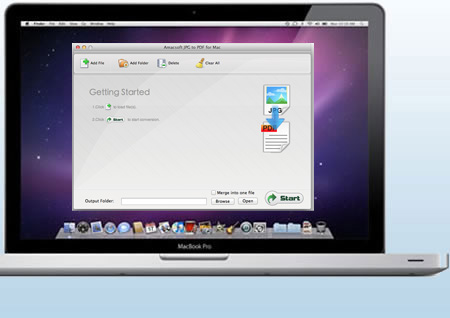
Suppose that you have taken lots of photos with your digital camera and save them in .jpg or .jpeg format on your Mac. Now, you need to convert them to PDF format for sharing with your friends, then what will you do? Don't worry, Amacsoft can help you reach the goal.
* Save or change image JPG or JPEG format to PDF document for uploading PDF to file-sharing sites.
* Batch conversion allows you convert entire folders stuffed with JPG into the PDF format.
* Merge several JPG, JPEG files into a single PDF document or convert each JPG file into a separate PDF document.
Not Only A JPG to PDF Conversion Program
If you think this program only supports the conversion from JPG or JPEG to PDF, then you're totally wrong. In order to satisfy all your image conversion needs, Amacsoft have added the function of converting PNG, TIFF, GIF, BMP, etc. to PDF into this single-function program.
* Support convert other image files like PNG, GIF, TIF, BMP to PDF document perfectly.
* The output quality will be kept as well as your original image files. So there is no need for you to worry about the elements will be changed in the output PDF file.
* Original images will never be damaged after conversion. So you can reuse the file for other situations as you like.
Customize Output Settings
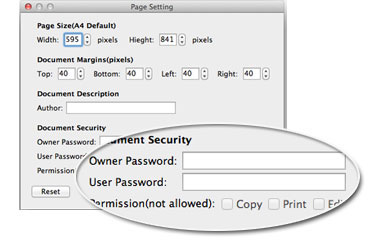
Alternative output setting options enables you to make your output files difference according to your own needs. With these options, you can set page information, encrypt output file or select output folder, etc. without any restrictions.
* Give up the default output destination, re-choose a new location for the converted JPG file.
* Reset a personalized, easy to remember file name, instead of retaining the original file lengthy name.
* Add password to set restrictions to protect PDF from opening, copying, printing and editing.
Excellent Output Quality
Excellent output quality is the most important feature while you're comparing and selecting a conversion program on the Internet. Thus, Amacsoft have spent lots of time on improving the output quality of our program. And we sure that you can see our efforts now.
* Preserves the initial JPG files in the generated PDF document after conversion.
*
The output PDF file works well on iPad, iPhone, Kindle, iPod touch and more e-Readers. It's a colorful experience for reading.